Managing your accounts is now simpler and faster. The home page combines all key actions, including imports and logs, under one button. CSV and ENTRA ID imports are now directly on the managed account page, while the Add button creates a single account instantly.
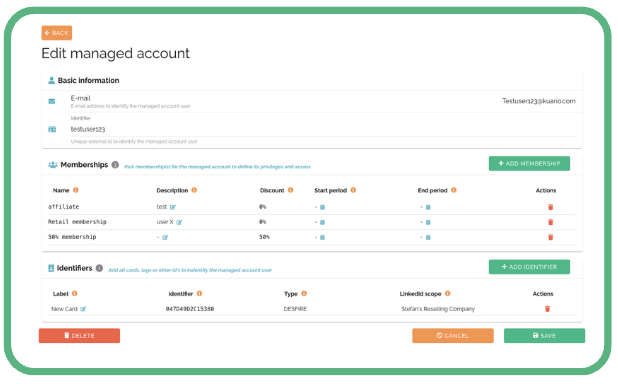
Memberships can be described, discounted, set for a period, or deleted easily. Adding identifiers works via Spider RFID with KUARIO output or by manually entering the card UID, with automatic checks to avoid duplicates. You can search users by name, card, or UID, and edit or restore identifiers anytime. Everything is designed to make account management smooth and reliable.
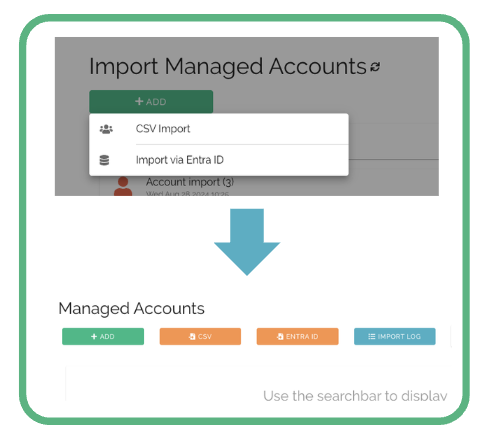
On the home page, we merged the two buttons into a single button. All relevant information is available on that page.
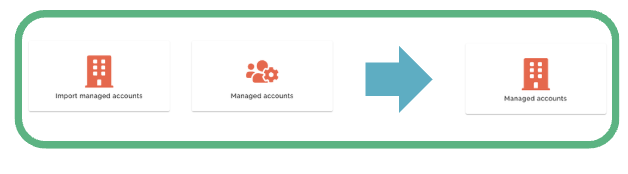
The page combines both the import functionality and the logs.
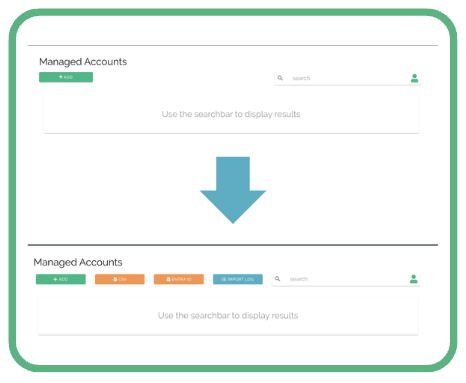
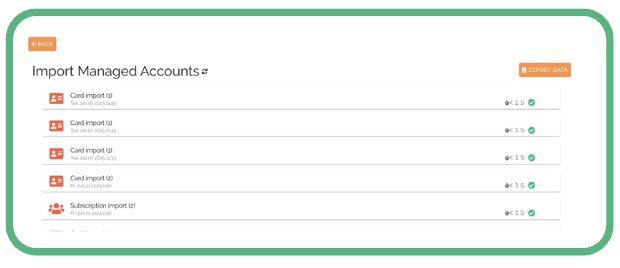
Under the “IMPORT LOG” button, you can find the log entries and the export functionality, just like before.
The “CSV” and “ENTRA ID” buttons have been moved. Previously, you selected them via the ADD+ button. They are now directly available on the managed account page.
The Add button creates a single managed account. CSV and ENTRA ID allow imports as you were used to. Nothing has changed on those pages.
Adding a single managed account has improved.
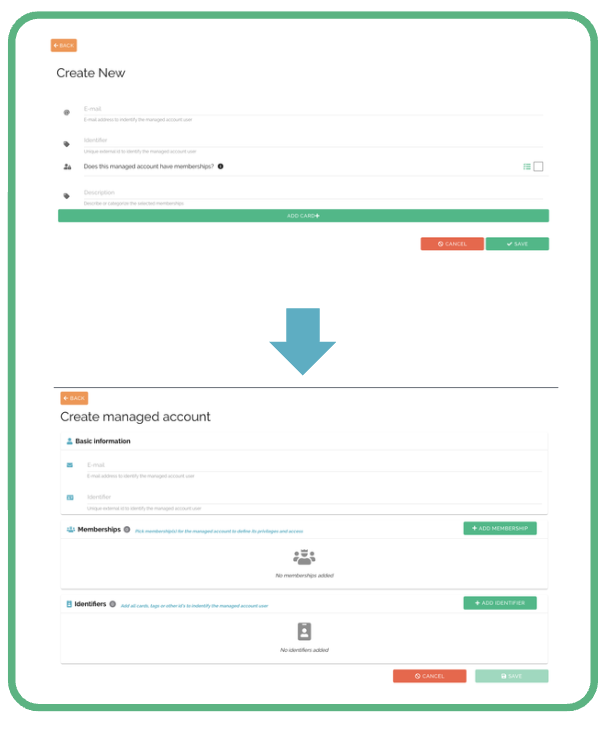
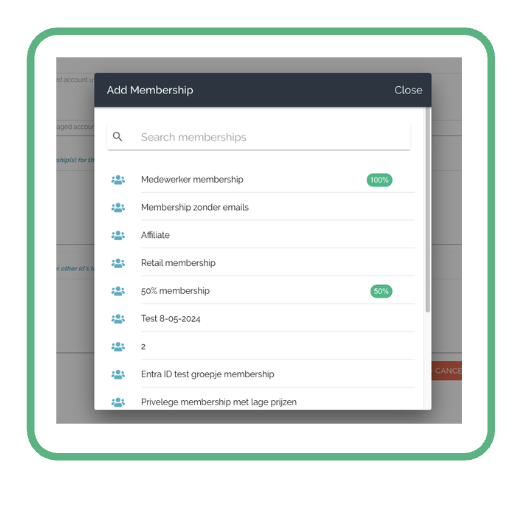
Adding a membership to an managed account has been improved.
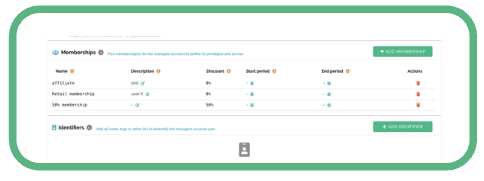
After adding a membership, you can provide a description for it, view the membership discount, select a validity period, or delete it if you made a mistake.
When adding an identifier to a managed account, you have two options.
Option 1: Add a card using the Spider RFID reader with KUARIO output. Select the input field, place the RFID card on the reader, and press save. The system checks whether the output is valid KUARIO data and ensures the card is not already linked to another managed account.
Option 2: Manually enter the card UID, select the identifier type (MIFARE, DESFIRE, etc.), and press save. The system will also check that the UID is not already in use.
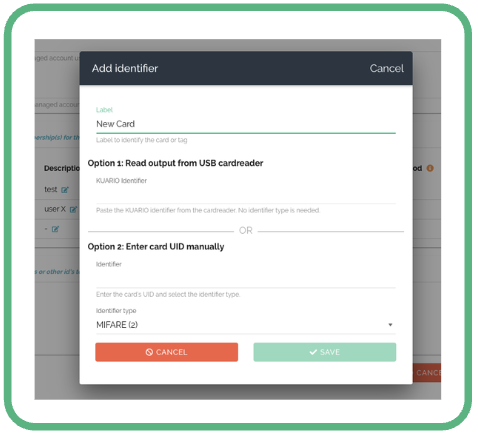
Once everything is set, you can create the new managed account.
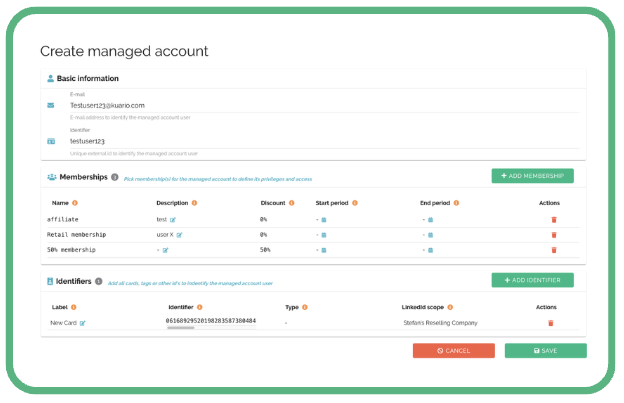
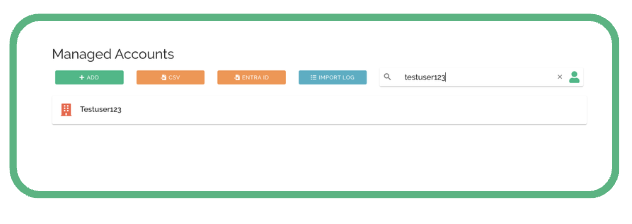
You can find the same user here.
Or search by card using a SPIDER RFID reader with KUARIO output. This lets you see which account the card is linked to.
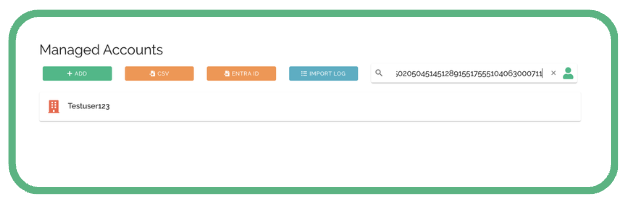
You can also search by UID manually. To do this, press the user icon in the search bar and switch to card search.
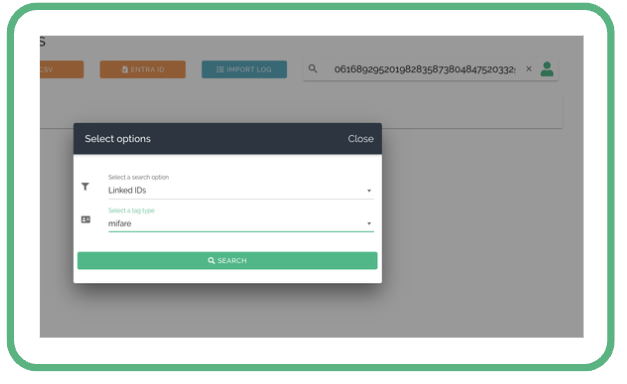
When selecting the found managed account, you can edit the external identifier, add or delete memberships, or delete identifiers. Deleted identifiers can be added again later (for example, if someone loses their card and finds it later). You will now see that the KUARIO ID has been reverted to the card’s UID, and the identifier type is displayed.